AIS and Form 26AS: what the tax department already knows about you
Your tax statements show what others reported about your income and tax, so check them before you file

When your employer, bank or broker pays you, they also tell the tax department. Your AIS and Form 26AS are where you can see those reports. Think of them as the department’s notes on you. Check them before you file, so your return matches what it already knows.
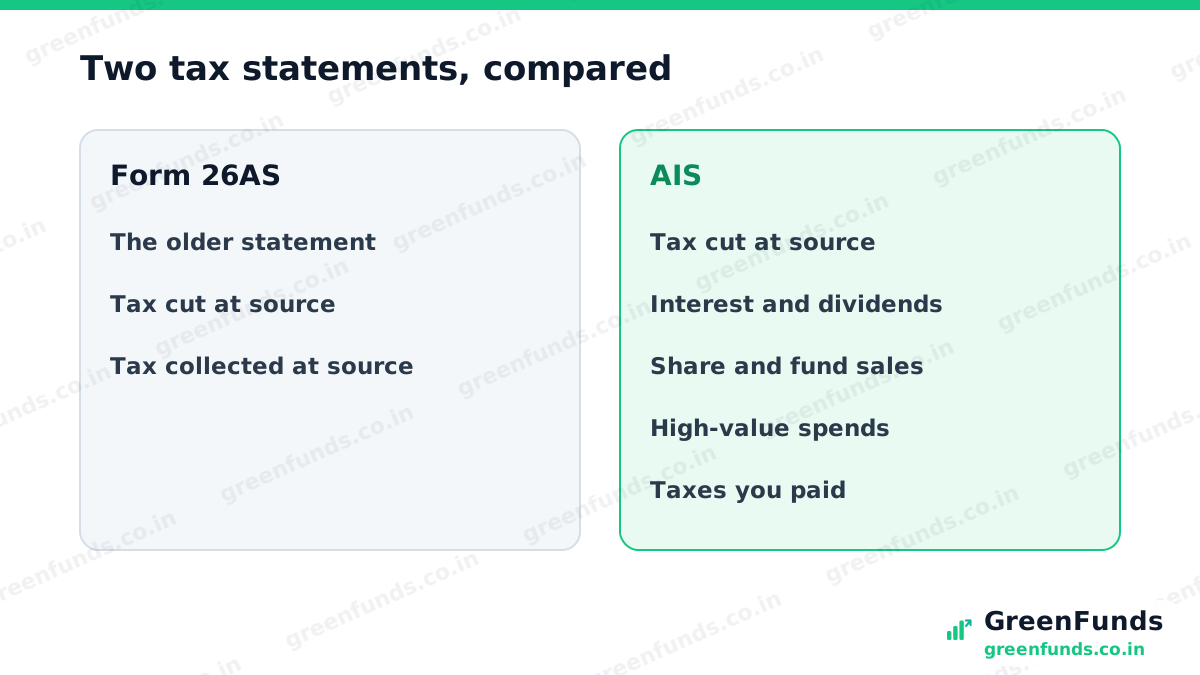
The two statements. Form 26AS is the older one. From assessment year 2023-24, it shows only the tax cut or collected at source on your income, per the Income Tax Department. The AIS (Annual Information Statement) is the wider one. It adds interest, dividends, sales of shares and funds, big transactions reported by banks and others, and the taxes you paid yourself, such as advance tax.
There’s also a summary. Inside AIS sits the TIS, the Taxpayer Information Summary. It adds up the entries by category, such as total savings interest. The values you accept, or that the source confirms, are used to pre-fill your return.
An example. Say you forgot a savings account that earned 12,000 rupees of interest in the year (an illustration). The bank reported it, so it shows up in your AIS. If your return leaves it out, the mismatch can lead to a notice. Spotting it in AIS first lets you include it.
Why this matters. Your return should match these statements. Common gaps people miss: savings and FD interest, dividends, small share sales, and interest on an earlier tax refund. Checking AIS takes a few minutes and saves a lot of back and forth later.
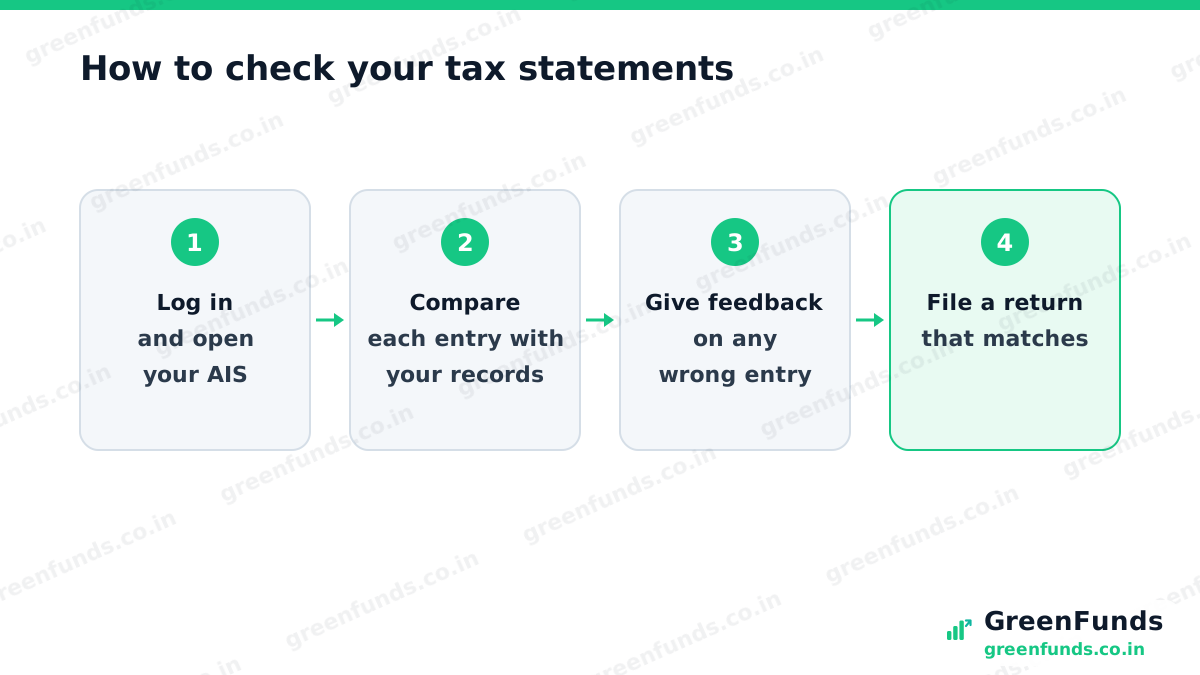
If something is wrong. You can give feedback on any entry in AIS, for example that it isn’t your income, it’s a duplicate, or the amount is different. The portal shows your corrected figure next to the reported one, and sends an email and SMS to confirm. For a tax-cut mismatch, also ask whoever cut the tax, like your employer or bank, to fix their filing, since your credit depends on it.
Did you know? There’s no limit, for now, on how many times you can change your feedback on an AIS entry, per the Income Tax Department. And the information you accept is what pre-fills your return, so a quick check upfront makes filing easier.
What’s changing. Under the new rules for income from April 2026, this statement has a new form number, Form 168, as widely reported. The idea stays the same: a record of what was reported about you. Check the portal for the current name and layout.
The takeaway. Before you file, open your AIS, match every entry to your own records, and flag anything wrong. Your return goes through faster, any refund arrives sooner, and you avoid a notice.
More to read: how to file your income tax return, Form 16, explained, and TDS on FD interest.
Questions people ask
What is AIS in income tax?
AIS, the Annual Information Statement, is a statement on the income tax portal that shows the income and money transactions reported about you: tax cut at source, interest, dividends, share and fund sales, tax you paid and refunds. The Income Tax Department calls it a comprehensive view of information for a taxpayer.
What is the difference between AIS and Form 26AS?
Form 26AS is the older statement and, from assessment year 2023-24, it shows only tax deducted or collected at source, per the Income Tax Department. AIS is wider: it also shows interest, dividends, high-value transactions reported by banks and others, and taxes you paid.
What should I do if my AIS is wrong?
Log in to the income tax portal, open AIS and submit feedback on the wrong entry, for example that it is not your income or that it is duplicated. For a tax-cut mismatch, also ask the person who cut the tax, such as your employer or bank, to correct their filing. Keep proof of your side.
Where do I find AIS?
Log in to the income tax e-filing portal and choose AIS. You can view it there and download it as a PDF, JSON or CSV file.
Source: Income Tax Department e-filing portal, FAQs on AIS (incometax.gov.in). Forms and rules change, check the current portal.
Found this useful? You can buy us a coffee. It keeps GreenFunds free.Flag a possible issue
Was this helpful?
Thanks for the signal.
Comments
Share your experience or a question. Be kind, stay on topic. This is reader discussion, not financial advice.
No comments yet. Be the first to share.